Your machines, your roster,
your payouts.
List your excavators, loaders, and cranes, review booking requests, and invite your own certified drivers. Payouts go straight to the UPI ID on your profile.
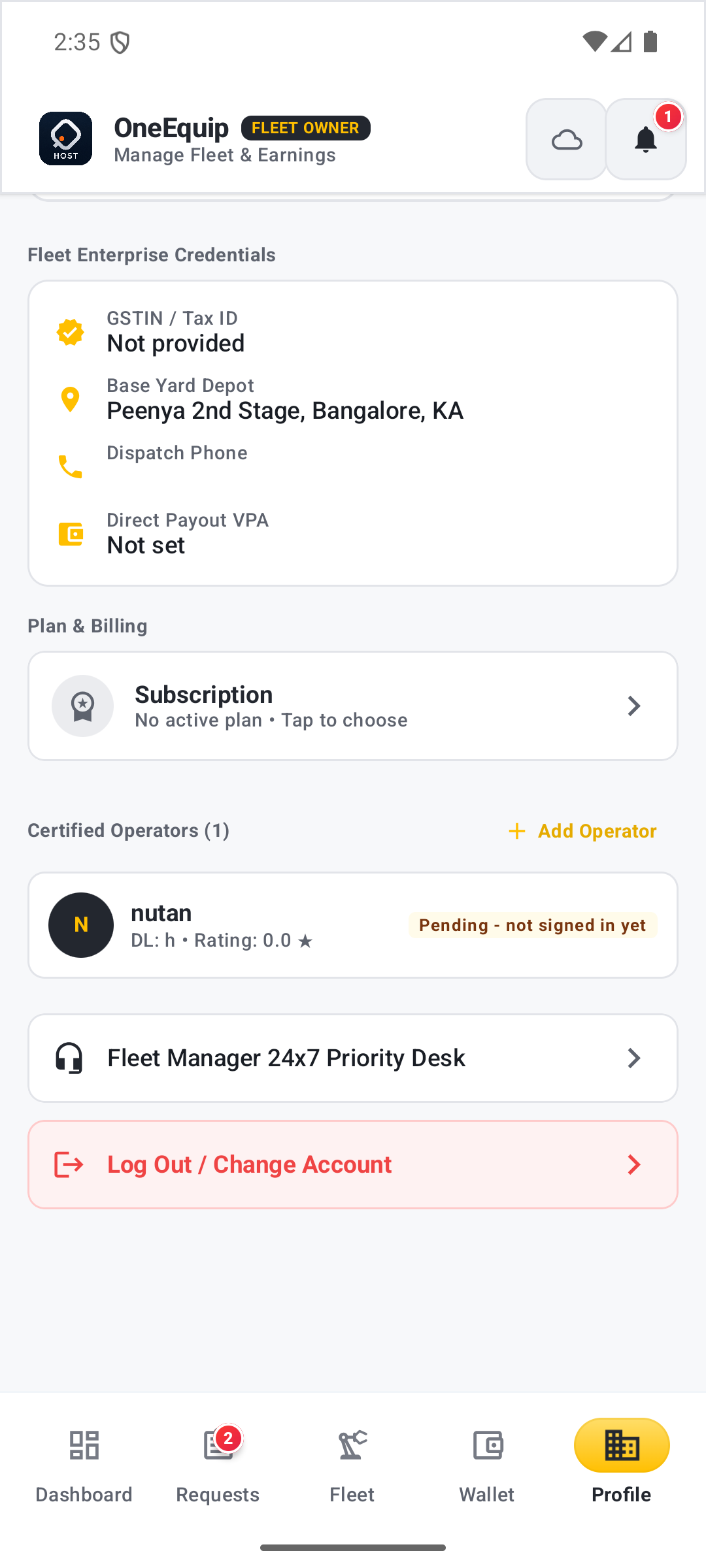
From listing to payout, one app.
Every machine follows the same sequence, whether you own one excavator or a whole yard.
List Your Equipment
Add a machine with its specs and hourly rate. It's visible to customers browsing nearby.
Review Requests
See incoming booking requests with job site, dates, and rate, then accept or decline.
Assign a Driver
Invite a driver by phone number and license number. They join your roster once they sign in to the Driver app.
Get Paid by UPI
Once the job is booked, payment settles to the payout VPA on your profile.
Insurance and permits, tracked per machine.
Every machine in your fleet gets its own document vault — insurance, permits, and certifications — with a reminder before anything expires.
Upload and store insurance, permits, and inspection certificates against each listing.
Get notified before a document lapses, so a machine never sits listed with expired paperwork.
Ready to list your first machine?
List equipment, manage requests, and invite drivers — all from the OneEquip Owner app.