Stop calling around for a machine.
Book it from your phone.
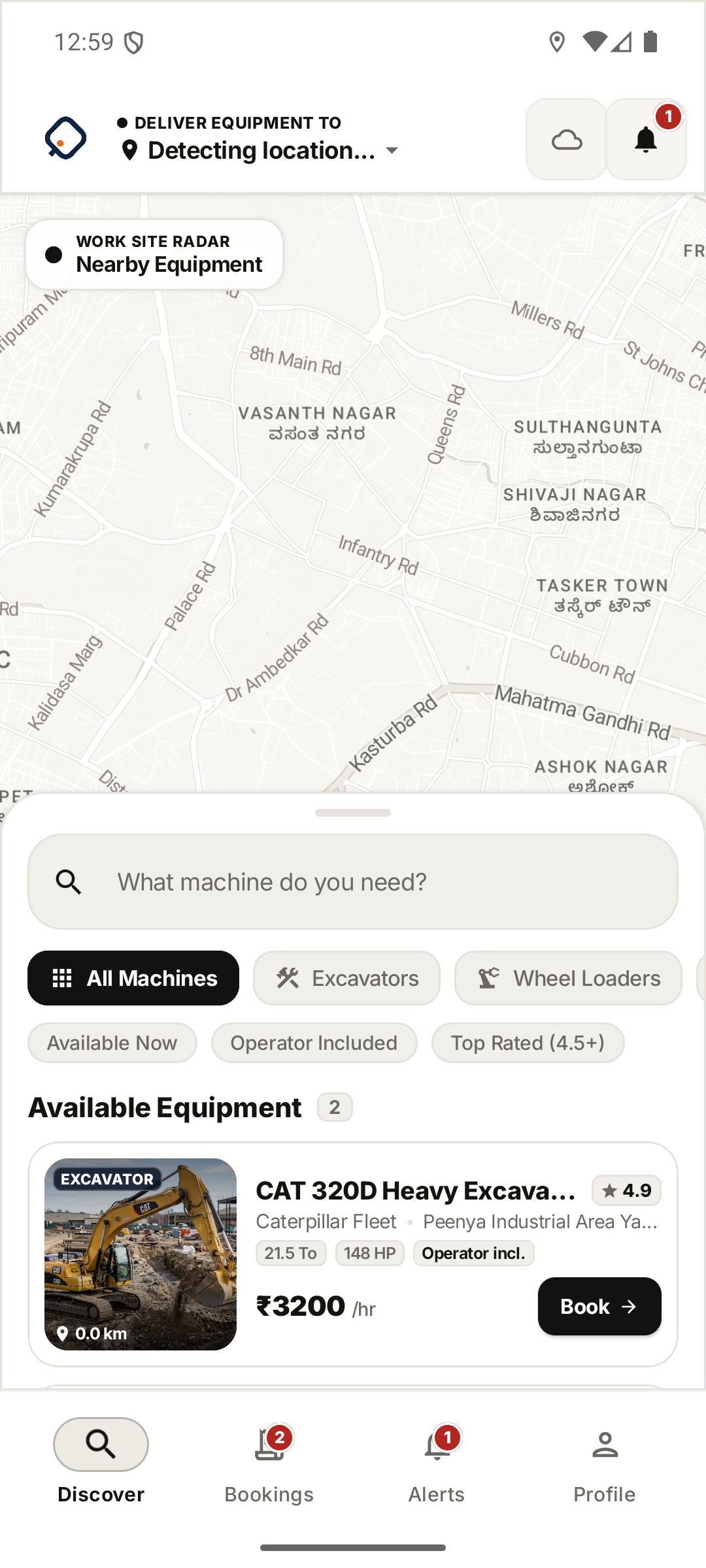
Browse excavators, loaders, and cranes listed by owners near your site, with hourly rates, ratings, and specs shown up front. Send a booking request and the owner reviews and confirms it.
From search to job site, one app.
Every booking follows the same sequence — no separate calls, no separate paperwork.
Browse & Compare
Search by machine type and see tonnage, engine output, hourly rate, and whether a driver is included, right on the listing.
Request to Book
Set your dates and drop-off location and send the request. The equipment owner reviews it and confirms.
Pay by UPI
Once the owner confirms, pay directly through the app's UPI checkout.
Track the Job
Follow your booking status, then track the active job on the map until it's complete.
Whatever's on-site, it's probably listed.
Categories available through equipment owners on OneEquip — the specs that matter are shown on every listing.
Excavators
Dig depth, bucket capacity, and engine output, side by side.
Dig Depth · Bucket CapacityWheel Loaders
Payload and engine output for material handling.
Payload · Engine OutputBackhoe Loaders
Dig depth and loader capacity for mixed-use sites.
Dig Depth · Loader CapacityCranes
Lift capacity and boom reach before you book.
Lift Capacity · Boom ReachEvery booking can come with a verified driver.
Drivers join OneEquip by invitation — an equipment owner adds their phone number, and the driver claims their account with an SMS one-time code. Their license, certification type, and safety rating live on their profile for every job. The equipment owner decides who's assigned.
Drivers sign in with the same OTP flow customers use — no separate password to manage.
License type, expiry, and safety rating are tracked on the driver's profile.
Ready to find your next machine?
Browse listings from equipment owners near your site, right in the OneEquip app.